calendar_today
January 31, 2025
person
Restream Team
domainrestream
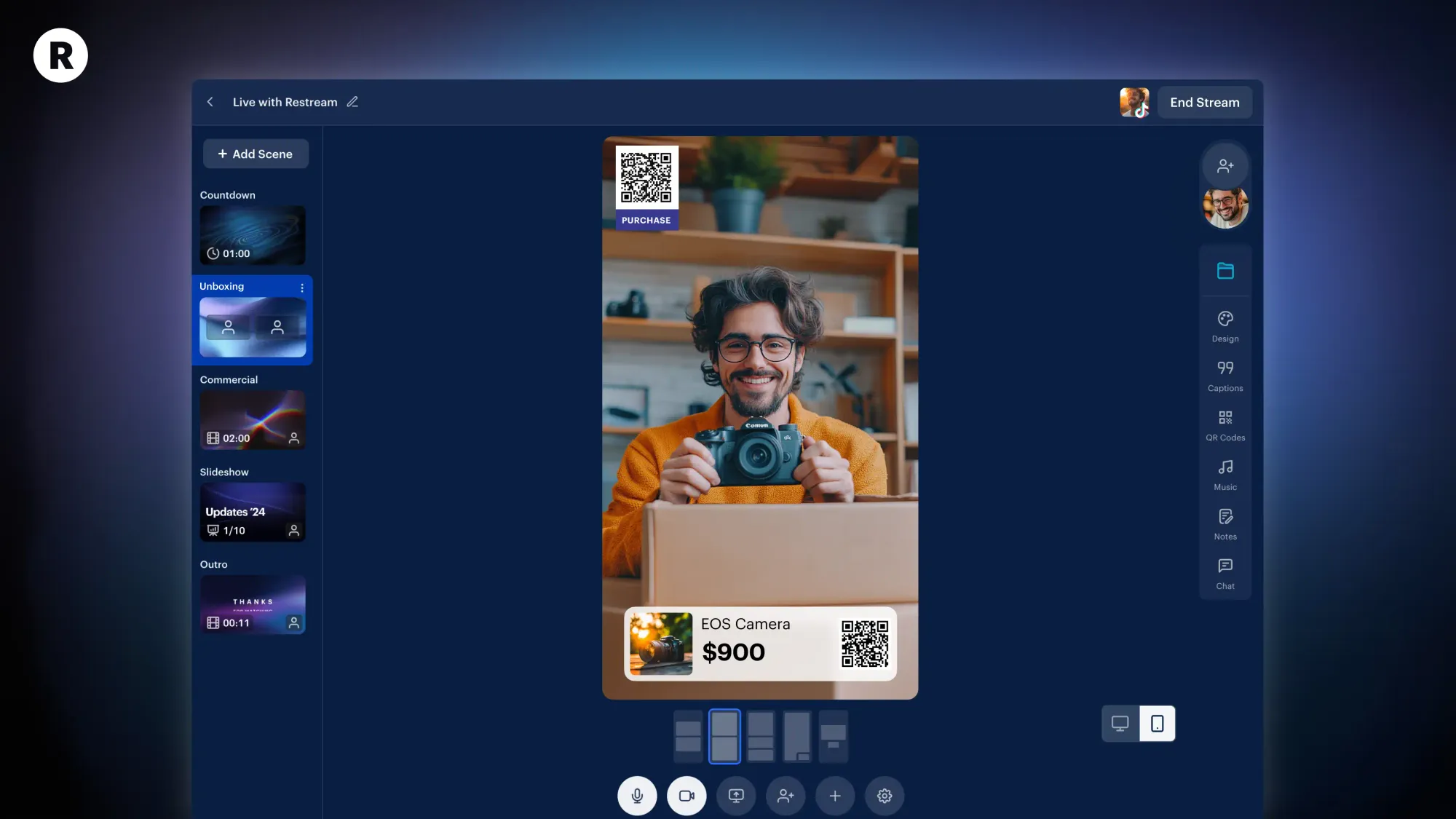
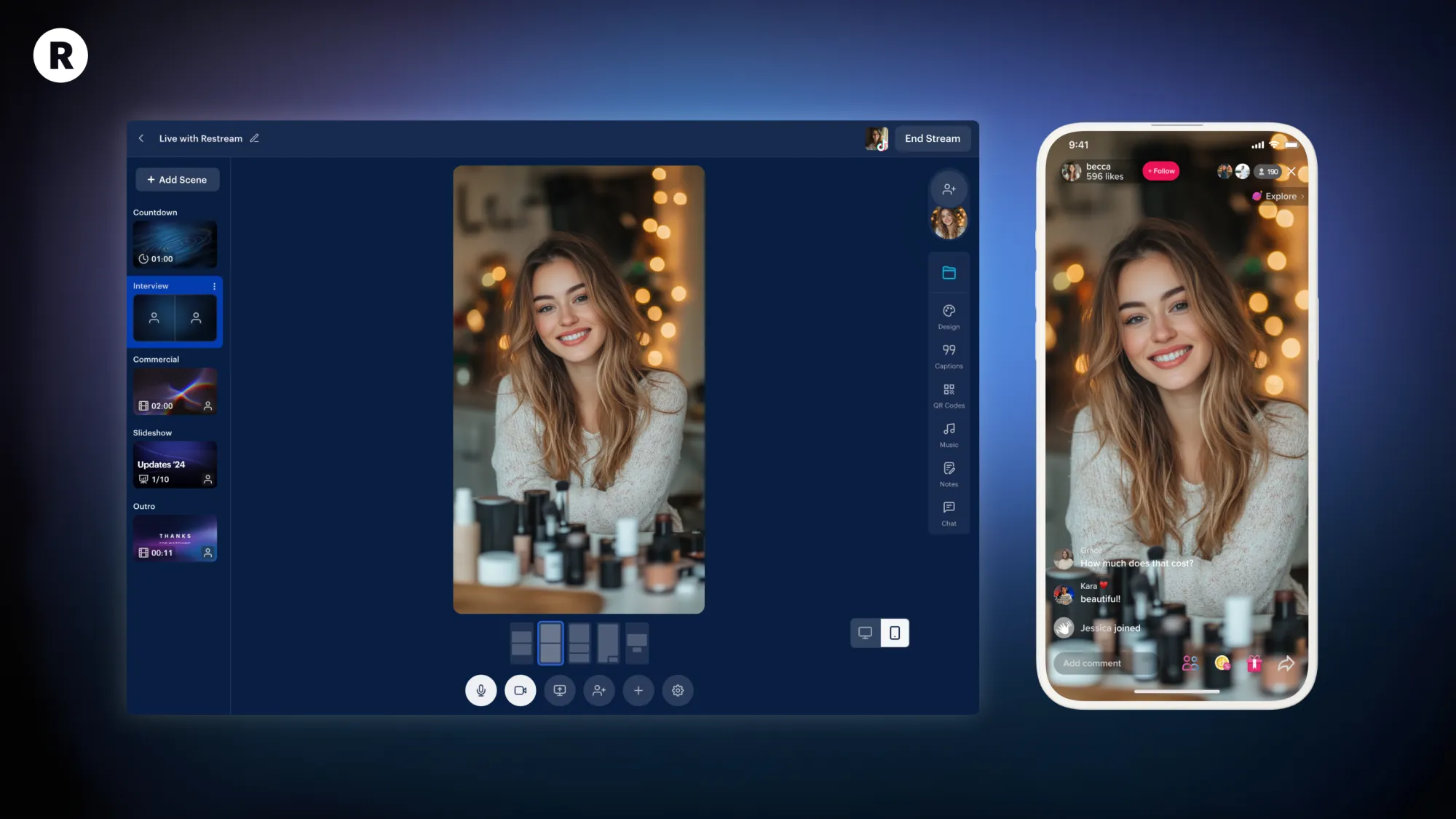
<p>TikTok has taken the social world by storm. Ever since it introduced live streaming, it’s turned into one of the biggest platforms for live video content. Now that Restream is natively integrated with TikTok, it's even easier to get more views and expand your audience.</p><p>From broadcasting your tutorials to co-streaming with friends, here are six creative ideas for TikTok Live.</p><h2 id="1-reaction-videos">1. Reaction videos</h2><p>Dynamic streams like reaction videos are highly popular on TikTok Live. With Restream, you can easily display media files, like videos and images, or share your screen and react to content in real time. Want to take it a step further? Invite up to 10 participants to join you on stage using a simple link; your guests will be able to jump in directly from their browser. For example, you could watch a trending video with a co-creator, share your thoughts live, and engage with your followers’ comments and reactions.</p><p>Restream Studio’s custom layouts make it easy to adjust the look of your stream, showcase media, and perfectly position your guests.</p><h2 id="2-unboxings">2. Unboxings</h2><p>Unboxing lives are perfect for businesses who want to showcase their products or creators who want to promote brand deals and collaborations. Restream offers a built-in live shopping feature that you can use to import your whole e-shop or to add individual products, like pieces from your Amazon storefront. This tool can also help you generate scannable QR codes and highlight deals with on-screen graphics. It’s perfect for boosting sales and increasing your revenue.</p><p>You can also take advantage of adding images to Restream Studio and display a picture of what you’re unboxing on screen. That is a great way to create content that compares what you see on a website and what you’re getting in real life.</p><h2 id="3-gameplay-highlights-and-replays">3. Gameplay highlights and replays</h2><p>If you’re a gaming creator looking to engage your audience with recent highlights or stream replays, you can use Restream to send recordings of your gameplay to TikTok. This is a great way to repurpose content you’ve already created and schedule it to stream live for your followers. You can even use Restream’s trimmer to edit a recording directly in your cloud storage or generate viral AI clips with our powerful editor.</p><p>This setup also allows you to set your streams to broadcast at different times of the day and find when your gaming content resonates most with your audience. Once you identify peak engagement times, you can schedule your future live gameplay accordingly and maximize your reach.</p><h2 id="4-makeup-tutorials">4. Makeup tutorials</h2><p>Beauty content and live tutorials have long been a staple on TikTok. With Restream, beauty creators can showcase their skills while sharing product recommendations using QR codes. For instance, if you’re doing a tutorial featuring a brand you’re partnered with, you can display a QR code on-screen that links directly to your affiliate link. This allows your viewers to quickly purchase the right items and ties in perfectly with your commission strategy.</p><p>Combined with Restream Studio’s sleek layouts, you can customize your stream to focus on your tutorial while prominently featuring QR codes to increase engagement and drive conversions. It’s a seamless way to blend creativity and commerce in your live content.</p><h2 id="5-how-to%E2%80%99s-and-hacks">5. How-to’s and hacks</h2><p>How-to videos and life hacks are an awesome way to share your knowledge and help educate your audience. Thankfully, Restream Studio gives you all the tools you need to take your tutorials to the next level. Use the screen-sharing feature to create step-by-step demos on your area of expertise, like editing a video or live coding. If you’re into hands-on activities, like arts and crafts, Restream also lets you add up to two extra cameras for free. That way, you can have one camera on your face and a couple of extra angles showing your hands and creations.</p><p>With these features, you can easily enhance the learning experience of your audience and keep your viewers engaged with your process.</p><h2 id="6-interactive-talking-head-streams">6. Interactive talking head streams</h2><p>Talking head videos are one of the simplest yet most effective ways to engage with your audience on TikTok Live. Restream Studio can help elevate these streams with features that make them more dynamic and interactive. For instance, you can use custom graphics to brand your stream, ensuring it stands out on TikTok’s busy feed. You may also add on-screen captions or scrolling text to highlight calls to action.</p><p>Restream Studio offers a wide variety of pre-made designs and the ability to upload your own. By taking advantage of features like overlays and lower thirds, you can create an engaging experience that gets your viewers' attention and boosts your stream’s visibility.</p><h2 id="faqs">FAQs</h2><div class="kg-card kg-toggle-card">
<div class="kg-toggle-heading">
<h4 class="kg-toggle-heading-text">How can I connect my TikTok account to Restream?</h4>

 <p>TikTok has taken the social world by storm. Ever since it introduced live streaming, it’s turned into one of the biggest platforms for live video content. Now that Restream is natively integrated with TikTok, it's even easier to get more views and expand your audience.</p><p>From broadcasting your tutorials to co-streaming with friends, here are six creative ideas for TikTok Live.</p><h2 id="1-reaction-videos">1. Reaction videos</h2><p>Dynamic streams like reaction videos are highly popular on TikTok Live. With Restream, you can easily display media files, like videos and images, or share your screen and react to content in real time. Want to take it a step further? Invite up to 10 participants to join you on stage using a simple link; your guests will be able to jump in directly from their browser. For example, you could watch a trending video with a co-creator, share your thoughts live, and engage with your followers’ comments and reactions.</p><p>Restream Studio’s custom layouts make it easy to adjust the look of your stream, showcase media, and perfectly position your guests.</p><h2 id="2-unboxings">2. Unboxings</h2><p>Unboxing lives are perfect for businesses who want to showcase their products or creators who want to promote brand deals and collaborations. Restream offers a built-in live shopping feature that you can use to import your whole e-shop or to add individual products, like pieces from your Amazon storefront. This tool can also help you generate scannable QR codes and highlight deals with on-screen graphics. It’s perfect for boosting sales and increasing your revenue.</p><p>You can also take advantage of adding images to Restream Studio and display a picture of what you’re unboxing on screen. That is a great way to create content that compares what you see on a website and what you’re getting in real life.</p>