
 <p>Ever since TikTok introduced live streaming, it’s become a top social media platform for live video content. If you have a presence on TikTok and you’re ready to take audience engagement to the next level, then you should start live streaming.</p><p>In this guide, you’ll learn how to go live on TikTok, including how to get live access on TikTok, how to make money from TikTok LIVE streams, how to use the TikTok LIVE Studio, and the best practices for going live on the platform.</p><h2 id="what-is-tiktok-live">What is TikTok LIVE?</h2><p>TikTok LIVE is the live streaming arm of the popular short-form video app TikTok. Rather than shooting, editing and uploading your videos to TikTok for users to watch later, you start filming in real time, and viewers can interact with you directly. Just like Facebook, Instagram, and YouTube all have live streaming capabilities, so does TikTok. Most TikTok LIVE streams tend to be informal and conversational.</p><h2 id="why-go-live-on-tiktok">Why go live on TikTok?</h2><p>TikTok is one of the most popular social media platforms in the world, with over one billion monthly active users. In the U.S. alone, people are constantly consuming content on TikTok, giving the app 4.43 million minutes viewed per day. Going live on TikTok offers a unique opportunity to connect with this massive audience.</p><p>Some of the benefits of live streaming on TikTok are:</p><ul><li>You can promote LIVE events ahead of time and on other platforms</li><li>You can host real-time Q&A sessions with your fans</li><li>You can partner up with another TikTok creator and go live together</li><li>You can ask viewers for donations during your TikTok LIVE streams</li></ul><h2 id="how-to-go-live-on-tiktok">How to go live on TikTok</h2><p>Before you can start live streaming on TikTok, you need to ensure you have TikTok LIVE access. Follow these steps:</p><ol><li>Download and install the app. If you haven’t already, you’ll need to download and install the TikTok app on your mobile device. It’s free to download and to make a TikTok account.</li><li>Verify that you’re allowed to go live. Not every TikTok user is eligible to start live streaming. You must be at least 18 years old and have 1,000 followers (may vary across regions).💡 If you don’t have access yet, you can add your TikTok account to Restream. Restream is integrated with TikTok and will allow you to apply for live streaming access. </li><li>See if you can earn gift points. If you are at least 18 years old, you’re eligible to earn Gifts while streaming on TikTok. Gifts are TikTok’s donation system, which allows users to send streamers money. We’ll go into more detail about making money with TikTok below.</li><li>Review TikTok’s community guidelines. If you want to go live on TikTok, you have to follow TikTok’s rules. Read TikTok’s community guidelines before you start streaming on the platform.</li></ol><h3 id="how-to-go-live-on-tiktok-on-a-mobile-phone">How to go live on TikTok on a mobile phone</h3><p>Going live on TikTok is easy — if you meet the requirements. If you want your content to be engaging and professional, it will take a little behind-the-scenes prep work as well. But it doesn’t take much to get started: simply open the app and press the Go LIVE button.</p><p>Here’s how to go live with the TikTok app:</p><ol><li>Launch the TikTok app.</li><li>Tap the plus sign at the bottom center of the screen.</li><li>Tap the LIVE button. If you don’t see it right away, swipe left until you see it.</li><li>Pick an image for your stream, give it a title, and select a topic. These details will be what makes people decide to watch, so make sure they’re interesting and enticing!</li><li>Change any settings before you go live, such as assigning moderators or activating LIVE gifts.</li><li>When you’re ready to start streaming, tap the big Go LIVE button at the bottom of the screen.</li></ol>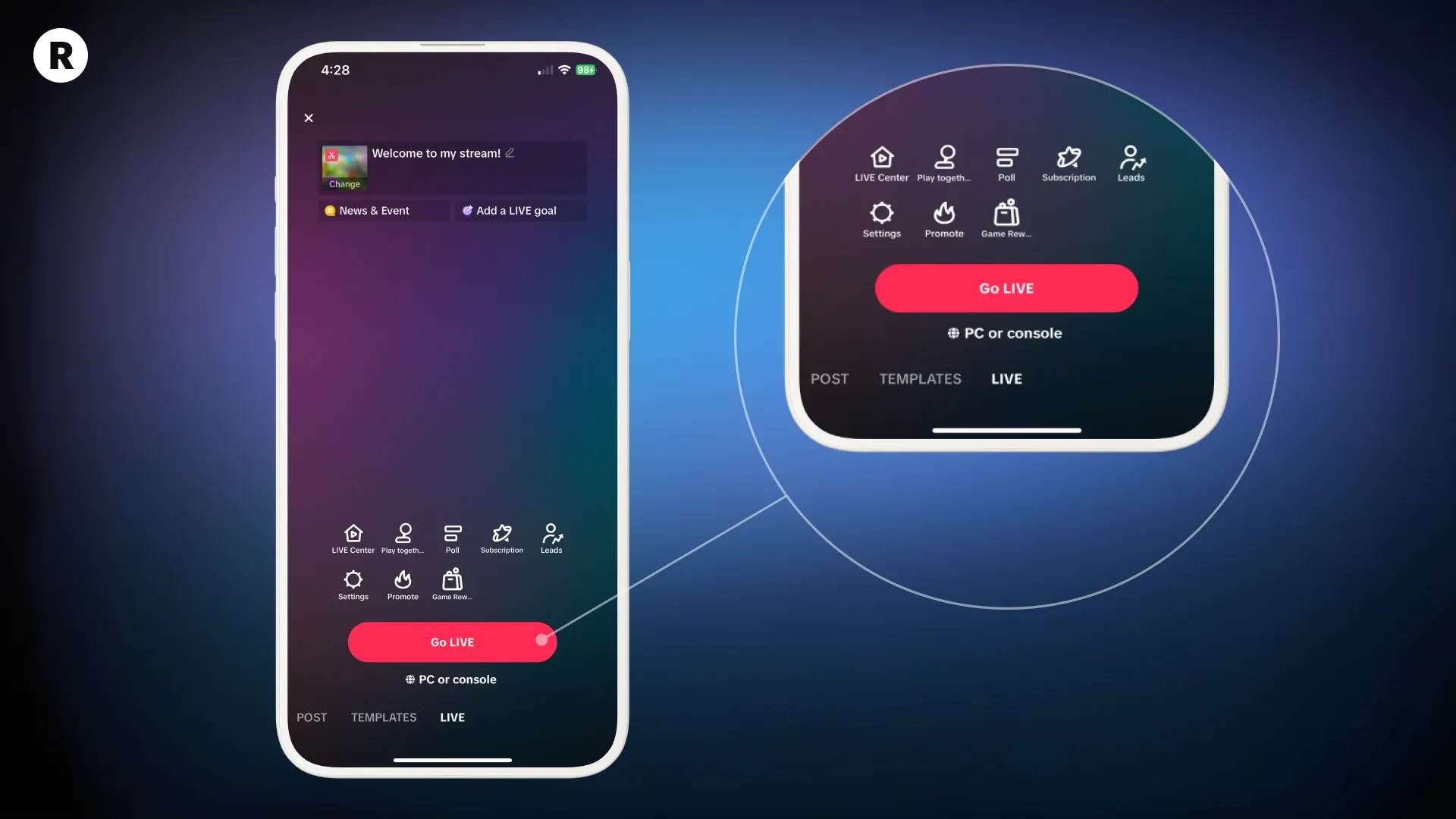
 <div class="kg-product-card-title-container">
<h4 class="kg-product-card-title">Get more views with multistreaming</h4>
</div>
<div class="kg-product-card-title-container">
<h4 class="kg-product-card-title">Get more views with multistreaming</h4>
</div>
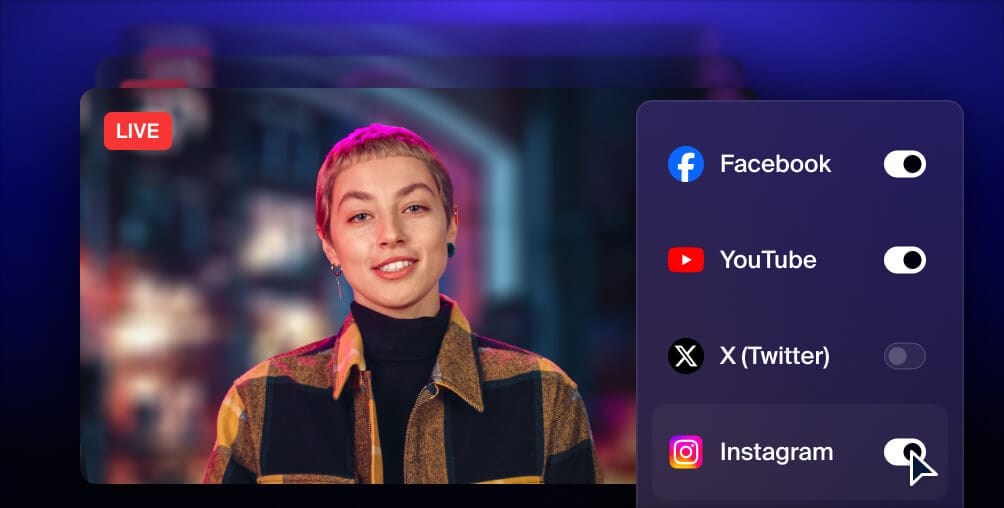
<div class="kg-product-card-description"><p><span style="white-space: pre-wrap;">Reach more people, and meet viewers where they like to watch. Live stream to YouTube, Instagram, Facebook, Twitch, X, TikTok, LinkedIn, and more at once.</span></p></div>
<a class="kg-product-card-button kg-product-card-btn-accent" href="https://restream.io/" rel="noopener noreferrer" target="_blank"><span>Get started</span></a>
</div>
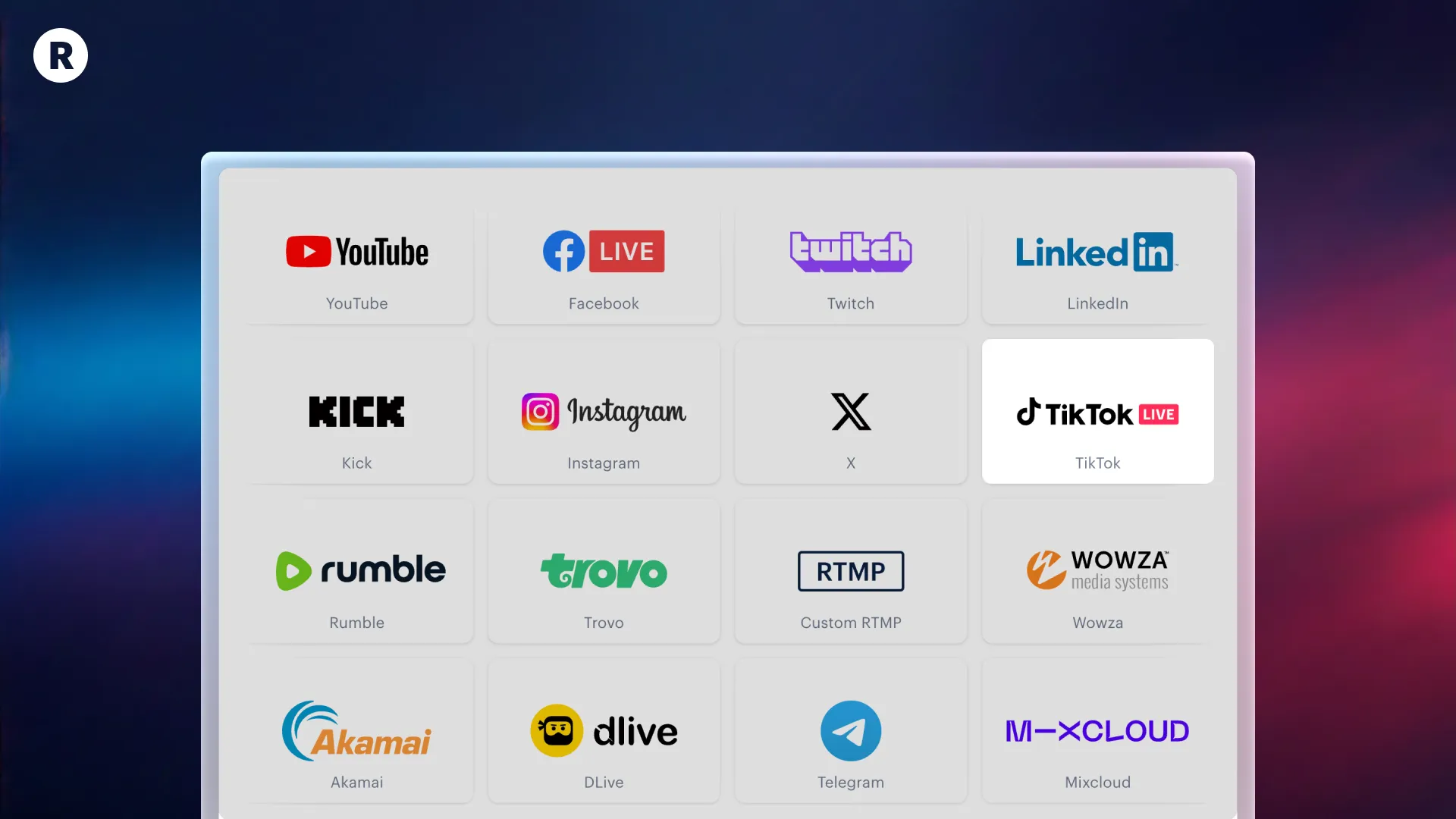
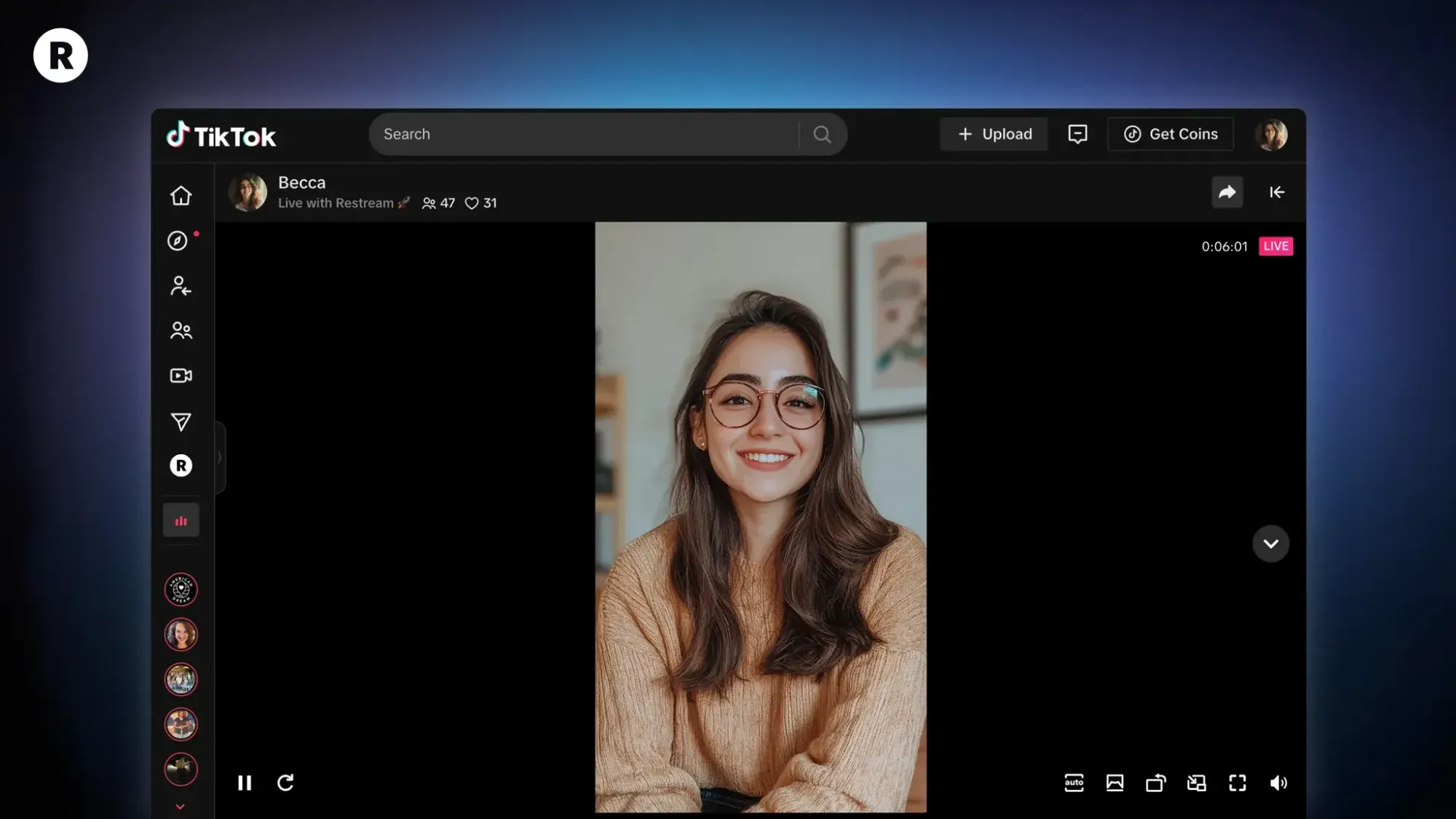
</div><p>To multistream with Restream Studio, you’ll have to <a href="https://support.restream.io/en/articles/6721574-stream-to-tiktok" rel="noopener noreferrer">connect your TikTok channel to Restream</a>, using our native integration.</p><p>Here’s how to set it up:</p><ol><li>Create a free Restream account if you haven’t already.</li><li>Click the <strong>Channels</strong> button on your home screen and select <strong>Add Channels</strong>.</li><li>Select <strong>TikTok</strong> from the list and log in to your TikTok account to authorize Restream.</li><li>Repeat this process for any other channels you want to multistream to.</li><li>Click <strong>New Stream</strong> on your home screen and select <strong>Restream Studio</strong>.</li><li>Give Restream Studio access to your camera and mic, fill in your name, and enter the Studio.</li><li>Customize your stream using Restream Studio’s features.</li></ol><figure class="kg-card kg-image-card"><img alt="How to go live on TikTok: The ultimate guide" class="kg-image" height="900" src="https://storage.ghost.io/c/90/06/900668bd-2aa2-42dc-9f32-86a461fa3125/content/images/2024/12/image.png" width="1600" /></figure><ol start="9"><li>Click the pencil icon in the top-left corner to set up a <strong>title</strong> for your stream.</li><li>Click <strong>+ Channels</strong> to toggle on the ones you want to stream to, like TikTok.</li><li>When you’re ready, click <strong>Go Live</strong>.</li></ol><p>If you prefer using encoding software, like OBS, you can still take advantage of Restream’s multistreaming abilities. Just connect your TikTok account to Restream and <a href="https://support.restream.io/en/articles/6505602-go-live-with-streaming-software" rel="noopener noreferrer">follow the steps here</a> to go live with your favorite streaming software.</p><h2 id="how-to-make-money-on-tiktok-live">How to make money on TikTok LIVE</h2><p>TikTok has a donation system that allows content creators to earn revenue for their live streams. You can also go outside the platform and use third-party tools to generate income from TikTok streaming. </p><p>First, let’s go over TikTok’s in-app monetization options. </p><h3 id="monetize-with-tiktok">Monetize with TikTok</h3><p>TikTok has several ways for creators to earn money from fans (without relying on ads).</p><h4 id="1-creativity-program-beta">1. Creativity Program Beta</h4><p>TikTok’s Creativity Program Beta replaced the Creator Fund. You can apply to join the Creativity Program Beta, however, if you meet the following eligibility requirements:</p><ul><li>Located in Brazil, France, Germany, Japan, Korea, the U.K., and the U.S.</li><li>18 years of age or older</li><li>10,000 followers minimum</li><li>100,000 video views in the last 30 days</li><li>Not a Business account</li></ul><p>Only certain videos are able to earn money from the Creativity Program Beta:</p><ul><li>At least one minute long</li><li>At least 1,000 views</li><li>Not a Duet or Stitch video</li><li>Not a Photo Mode video</li><li>Original, high-quality content</li><li>Not an ad, paid promotion, or sponsored content</li><li>Doesn’t violate terms or community guidelines</li></ul><p>To join the Creativity Program Beta, you have to apply. Open the TikTok app, go to Settings, select <strong>Creator tools</strong>, then <strong>Creativity Program</strong>. If you get accepted, you can start earning money for creating and publishing longer video content.</p><h4 id="2-creator-marketplace">2. Creator Marketplace</h4><p>The <a href="https://creatormarketplace.tiktok.com/">TikTok Creator Marketplace</a> is a platform that matches brands with creators who want to collaborate. By joining, you can <strong>connect with brands who are looking to sponsor TikTok creators</strong> through either paid or reward-based campaigns. Only Personal or Creator accounts are eligible. You also have to meet age, follower, content, and engagement requirements.</p><p>You’ll receive an invitation, or you’ll see the option to submit an application, when you’re eligible to join the Creator Marketplace. </p><h4 id="3-video-gifts">3. Video Gifts</h4><p>TikTok users can send creators <a href="https://support.tiktok.com/en/business-and-creator/video-gifts-on-tiktok/video-gifts-on-tiktok">Video Gifts</a>, which TikTok uses to help determine video popularity. Based on the number of Gifts, TikTok sends creators Diamonds, which can be exchanged for money. To be eligible to receive Video Gifts on TikTok, you must:</p><ul><li>Be at least 18 and based in a location where LIVE Gifts are available</li><li>Have at least 100,000 followers</li><li>Have a Personal account</li><li>Have a 30-day-old account</li><li>Have published a public video in the last 30 days</li><li>Not have repeat violations of TikTok’s community guidelines and terms of service</li></ul><p>Keep in mind that some videos like duets, stitches, and ads aren’t eligible to receive Gifts.</p><h4 id="4-live-gifts">4. LIVE Gifts</h4><p>If you want to be a TikTok live streamer, then you’ll need to know about <a href="https://support.tiktok.com/en/live-gifts-wallet/tiktok-live/live-gifts-on-tiktok" rel="noopener noreferrer">LIVE Gifts</a>. They work mostly the same way as Video Gifts. Viewers can send you LIVE Gifts during your live TikTok broadcast, and TikTok will award you Diamonds based on the LIVE Gifts you receive. Then, you can exchange those Diamonds for cash. Only viewers who are 18 years or older can send Gifts. </p><h4 id="5-tips">5. Tips</h4><p>Another monetization tool TikTok provides is <a href="https://www.tiktok.com/legal/page/global/tip-terms/en" rel="noopener noreferrer">Tips</a>. Users can send Tips to creators between $1 and $100 at a time. With Tips, creators pocket the entire amount minus processing fees (TikTok uses Stripe to pay creators). To be eligible to receive Tips, you need to:</p><ul><li>Be a member of the Creator Next program</li><li>Be 18 years of age or older</li><li>Have at least 100,000 followers</li><li>Have a Personal account in good standing</li><li>Have a Stripe account</li></ul><h3 id="advertise-with-tiktok-for-business">Advertise with TikTok for Business</h3><p>The above monetization options are available for Personal accounts, not Business ones. However, Business accounts can use some of the following tools to earn money on TikTok:</p><ul><li>In-feed video ads</li><li>Branded hashtags</li><li>Brand takeovers</li><li>Branded effects </li></ul><h3 id="other-ways-to-make-money-on-tiktok">Other ways to make money on TikTok</h3><p>You don’t have to rely solely on TikTok’s features to earn money. You can also develop external revenue streams using your TikTok audience as a base. Here are a few ideas for earning cash from your TikTok popularity:</p><ul><li>Participate in affiliate programs</li><li>Become a brand ambassador</li><li>Post sponsored content</li><li>Accept donations via another platform (such as Patreon)</li><li>Create and sell your own merchandise </li></ul><p>There are several ways to <a href="https://restream.io/blog/ways-you-can-make-money-live-streaming/">make money with live streaming</a>, especially if TikTok is your chosen platform. </p><h2 id="9-tips-for-improving-your-tiktok-live-streams">9 tips for improving your TikTok LIVE streams</h2><p>To engage TikTok viewers enough to build a following and generate some revenue, you have to create high-quality TikTok live videos. Follow these <strong>live stream best practices</strong> to impress your audience and establish a presence on TikTok. </p><h3 id="1-avoid-banned-words">1. Avoid banned words</h3><p>TikTok flags words and phrases associated with hate speech, and the platform’s community guidelines state that attacks and slurs against protected classes and content that contains hateful ideology are not allowed. The terms of service also prohibit explicit content, spam and harassment. As a creator, try to focus on the message you want to share with your audience and <strong>aim to make your content as appropriate as possible</strong>.</p><h3 id="2-create-a-schedule">2. Create a schedule</h3><p>TikTok does not save your live streams after they’re over, so if a user misses your session, they can’t rewatch. Use this feature to your advantage by <strong>encouraging your fans to tune in when you’re live</strong>. It’s a lot easier for them to watch your live streams, though, if you broadcast at the same time every day or week. Use TikTok LIVE event cards to promote upcoming streams and send your fans reminders of your streams.</p><h3 id="3-prepare-your-topic-in-advance">3. Prepare your topic in advance</h3><p>Live streams can be spontaneous and impromptu; it’s part of their appeal. But if you are trying to build a following and create more engaging TikTok LIVE content, you should find ways to keep people in your session. You don’t want to run out of things to say, so plan your topic ahead of time. You don’t have to spend hours writing a script; just jot down a quick outline with your ideas and the main points you want to hit.</p><p><strong>Pro tip:</strong> To make it even easier, use Restream's free TikTok script generator — specify your topic and desired vibe, and it will automatically generate the script for you.</p><figure class="kg-card kg-image-card"><img alt="How to go live on TikTok: The ultimate guide" class="kg-image" height="1125" src="https://storage.ghost.io/c/90/06/900668bd-2aa2-42dc-9f32-86a461fa3125/content/images/2024/06/tiktok-script-generator.jpg" width="2000" /></figure><div class="kg-card kg-button-card kg-align-center"><a class="kg-btn kg-btn-accent" href="https://restream.io/tools/ai-tiktok-script-generator">Generate script</a></div><h3 id="4-engage-your-audience">4. Engage your audience</h3><p>There are other <a href="https://restream.io/blog/interactive-live-streaming/">audience engagement tips</a> to keep in mind besides preparing your topic beforehand. Create opportunities to interact with some of the following tactics:</p><ul><li>Ask viewers where they’re from</li><li>Greet everyone who joins your stream</li><li>Run a poll</li><li>Do a <a href="https://restream.io/learn/what-is/split-screen/" rel="noreferrer">Q&A</a> or AMA</li></ul><h3 id="5-limit-streaming-length">5. Limit streaming length</h3><p>TikTok recommends keeping your live streams to 30 minutes, but you can stream for longer. On one hand, the platform is known for short-form videos, so keeping streams limited might help them perform better. On the other hand, the longer you’re live, the <strong>more time users have to join your session</strong> (and send you Gifts or Tips). Choose the streaming length that works best for your audience. </p><h3 id="6-set-up-a-live-streaming-studio">6. Set up a live streaming studio</h3><p>If you’re going live for a few minutes, holding your phone in your hand seems practical enough. If you plan to broadcast for 30 minutes or more, though, you’ll need a <strong>tripod or something to set your phone on</strong> to keep the stream stable. You’ll also make your TikTok stream look more professional if you add some<a href="https://restream.io/blog/video-lighting/"> lighting</a> — a single ring light can work wonders for the quality of your video. </p><p>Also, try to clear the space behind you from distracting objects and stream in a room where you won’t be disturbed by other people. You can also help improve the sound quality in your <a href="https://restream.io/blog/how-to-set-up-home-live-streaming-studio/">home live streaming studio</a> by spreading blankets, pillows and rugs around to minimize echos. </p><h3 id="7-check-your-internet-speed">7. Check your internet speed</h3><p>One of the worst experiences for viewers is having a stream or video buffer too much or fail to load. If this happens while you’re live, you’ll lose viewers. Before you stream, <strong>make sure your Wi-Fi connection is solid</strong> by <a href="https://www.speedtest.net/">running speed tests</a>. </p><h3 id="8-write-an-eye-catching-title">8. Write an eye-catching title</h3><p>When you go live on TikTok, the app asks you to give your stream a title. Choose something that will grab attention and accurately describe your content. Users get the first impression of your stream from the title, so use words that will make people want to watch. </p><h3 id="9-moderate-your-live-stream">9. Moderate your live stream</h3><p>Viewers can add comments during your TikTok LIVE stream for others to see, and negative or inappropriate comments can bring down the experience for everyone else, including you. <strong>Use TikTok’s moderation tools</strong> to filter out certain words or phrases, mute problematic viewers, or even block some viewers. <a href="https://restream.io/blog/live-chat-moderation/">Moderating the live chat</a> helps make your stream more engaging and accessible for everyone. </p><h2 id="faqs">FAQs</h2><div class="kg-card kg-toggle-card">
<div class="kg-toggle-heading">
<h4 class="kg-toggle-heading-text"><span style="white-space: pre-wrap;">How do I go live on TikTok?</span></h4>
<button class="kg-toggle-card-icon">
<svg id="Regular" viewBox="0 0 24 24" xmlns="http://www.w3.org/2000/svg">
<path class="cls-1" d="M23.25,7.311,12.53,18.03a.749.749,0,0,1-1.06,0L.75,7.311">
</svg>
</button>
</div>
<div class="kg-toggle-content"><p><span style="white-space: pre-wrap;">To start a new live stream on TikTok from a mobile phone, tap the create icon and swipe to select LIVE. You can also stream to TikTok from a PC if you have the TikTok LIVE Studio software or access to a TikTok stream key. With Restream’s </span><a href="https://restream.io/integrations/tiktok/" rel="noopener noreferrer"><span style="white-space: pre-wrap;">TikTok integration</span></a><span style="white-space: pre-wrap;">, you can stream from your PC by just logging into your TikTok account.</span></p></div>
</div><div class="kg-card kg-toggle-card">
<div class="kg-toggle-heading">
<h4 class="kg-toggle-heading-text"><span style="white-space: pre-wrap;">Why can’t I go live on TikTok?</span></h4>
<button class="kg-toggle-card-icon">
<svg id="Regular" viewBox="0 0 24 24" xmlns="http://www.w3.org/2000/svg">
<path class="cls-1" d="M23.25,7.311,12.53,18.03a.749.749,0,0,1-1.06,0L.75,7.311">
</svg>
</button>
</div>
<div class="kg-toggle-content"><p><span style="white-space: pre-wrap;">If you can’t go live on TikTok, it might be because you don’t meet the eligibility requirements. You need at least 1,000 followers, you have to be at least 18 years old, and you must follow TikTok’s community guidelines. If you meet these requirements and are still having issues going live, you can </span><a href="https://support.tiktok.com/en/live-gifts-wallet/tiktok-live/issues-with-tiktok-live" rel="noopener noreferrer"><span style="white-space: pre-wrap;">report the problem to TikTok</span></a><span style="white-space: pre-wrap;">. To apply for streaming access on your PC, </span><a href="https://support.restream.io/en/articles/6721574-stream-to-tiktok" rel="noopener noreferrer"><span style="white-space: pre-wrap;">connect your TikTok account to Restream</span></a><span style="white-space: pre-wrap;">.</span></p></div>
</div><div class="kg-card kg-toggle-card">
<div class="kg-toggle-heading">
<h4 class="kg-toggle-heading-text"><span style="white-space: pre-wrap;">How do I get live access on TikTok?</span></h4>
<button class="kg-toggle-card-icon">
<svg id="Regular" viewBox="0 0 24 24" xmlns="http://www.w3.org/2000/svg">
<path class="cls-1" d="M23.25,7.311,12.53,18.03a.749.749,0,0,1-1.06,0L.75,7.311">
</svg>
</button>
</div>
<div class="kg-toggle-content"><p><span style="white-space: pre-wrap;">You can check to see if you have access to TikTok LIVE by tapping the create icon on your profile and swiping through the options to see if LIVE appears. If it doesn’t, then you don’t have access to TikTok LIVE yet. To auto-apply for streaming access on your PC, </span><a href="https://support.restream.io/en/articles/6721574-stream-to-tiktok" rel="noopener noreferrer"><span style="white-space: pre-wrap;">connect your TikTok account to Restream</span></a><span style="white-space: pre-wrap;">.</span></p></div>
</div><h2 id="let%E2%80%99s-wrap-up">Let’s wrap up</h2><p>The potential for audience engagement and building your brand on TikTok is huge. Live streaming is one of the <strong>easiest ways to get closer to your audience</strong> and solidify a community around your brand. TikTok also provides avenues for earning income from live streaming, so you can turn it into a side hustle or even a full-time job. When you use Restream to go live on TikTok, you have the tools to create a powerful, professional, and engaging live stream that you can share across multiple channels simultaneously.</p><p>With this guide, you have everything you need to start streaming on TikTok. Happy streaming!</p>