
 <p>AI agents are powerful, but they’re even more useful when paired with a frontend interface. In this tutorial, we’ll walk through how to build a simple web app using Lovable that connects to a custom AI research agent built with String. </p><p>The result? A lightweight research assistant that users can access through a clean, minimal web UI. </p><h2 id="what-is-string">What is String?</h2><p>String is an AI agent that helps you create event-driven agents using natural language.</p><p>Behind the scenes, it uses Pipedream’s automation engine, giving you access to 2,700+ prebuilt integrations and the ability to write and deploy custom code. You describe what you want your agent to do and String handles the rest.</p><p>Agents built with String can listen for events, interact with web APIs, run custom code, and return structured responses.</p><h2 id="what-is-lovable">What is Lovable?</h2><p>Lovable is a no-code app builder powered by natural language. It allows anyone to generate fully functional web apps with custom inputs, layouts, and logic by describing what they want. </p><p>For this project, it serves as the frontend to our String agent, collecting input from users and displaying the agent’s output.</p><h2 id="what-we%E2%80%99re-building">What We’re Building</h2><p>We’ll build a simple web application that allows users to submit the URL of a company they’re interested in, along with their email address. The backend agent will then:</p><ul><li>Research the company based on its website</li><li>Summarize what the company does</li><li>Identify its target audience or ICP</li><li>Estimate employee count</li><li>Identify founders or current leadership</li><li>The summarized findings will be sent back to the frontend app and displayed to the user.</li></ul><p>To make it easy to follow along yourself, this was all done within the free limits of both apps!</p><h2 id="step-by-step-build-the-agent-and-app">Step-by-Step: Build the Agent and App</h2><h3 id="1-start-with-string">1. Start with String</h3><p>Head over to String.com and create a new agent using the following prompt:</p><blockquote>I am creating an AI agent where users will submit a website URL via a web form and the agent will then research the company based on the provided URL.
The agent needs to research and summarize:
- What the company does / what it sells
- The company’s target audience / ICP
- Estimated employee count
- Names of the CEO and any co-founders
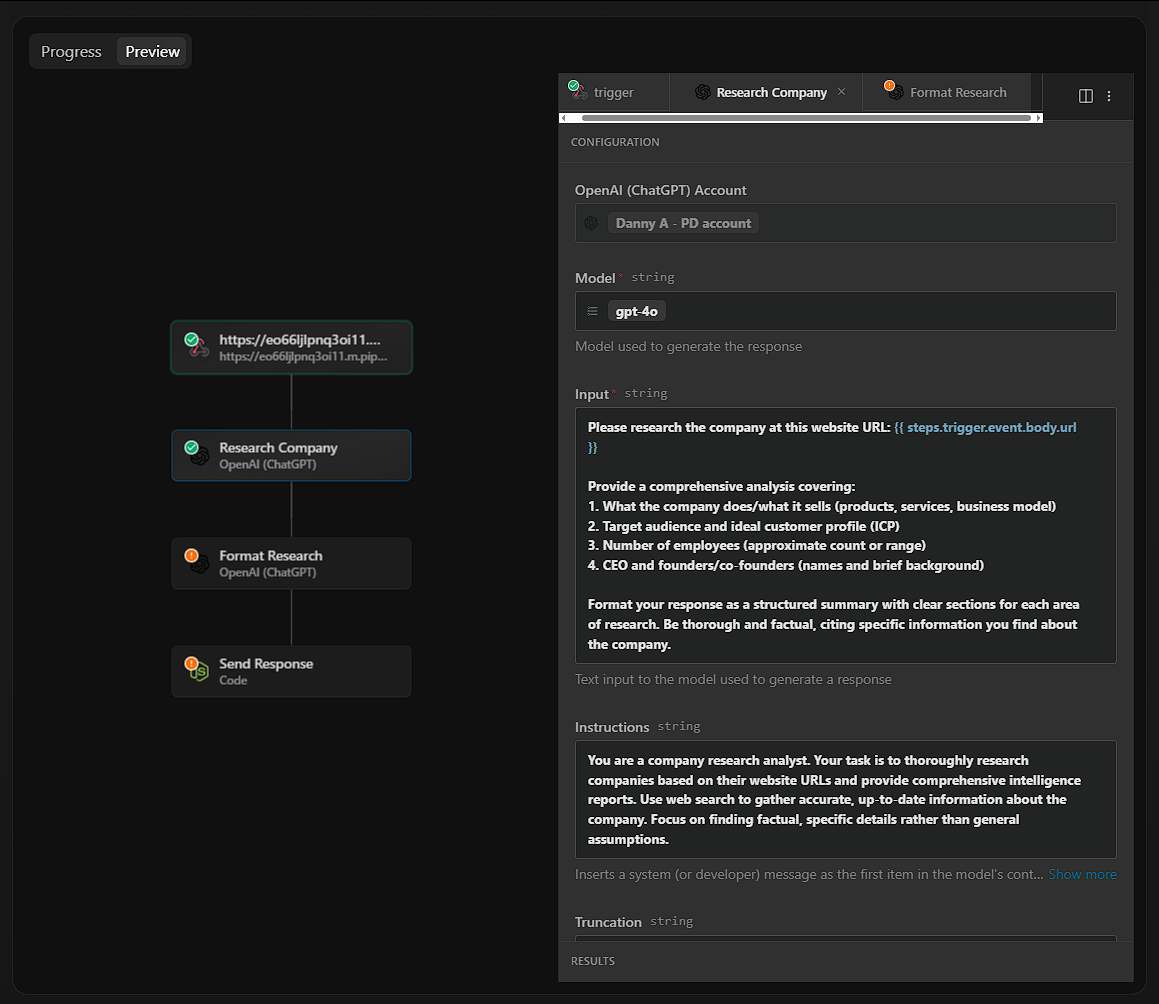
Use the OpenAI Responses API with web search to perform this task.
Use an OpenAI Chat API step to consistently format the research as structured JSON and post it back as a custom response to the provided webhook.</blockquote>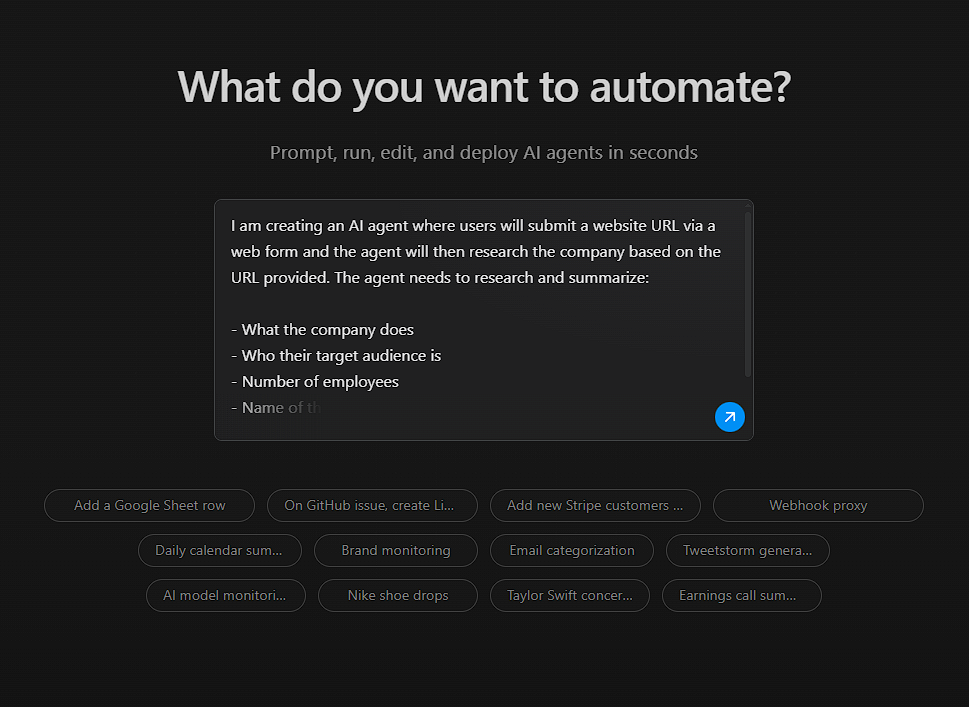
1. A company URL (just the domain)
2. An email address Validate that the email has a valid domain before submission.
Post the data to [[INSERT YOUR WEBHOOK URL]]. Once the agent returns a response, format and display the response cleanly in the UI.</blockquote><p>This creates your web app. Lovable will automatically build a form, wire up the webhook submission, and handle response display.</p>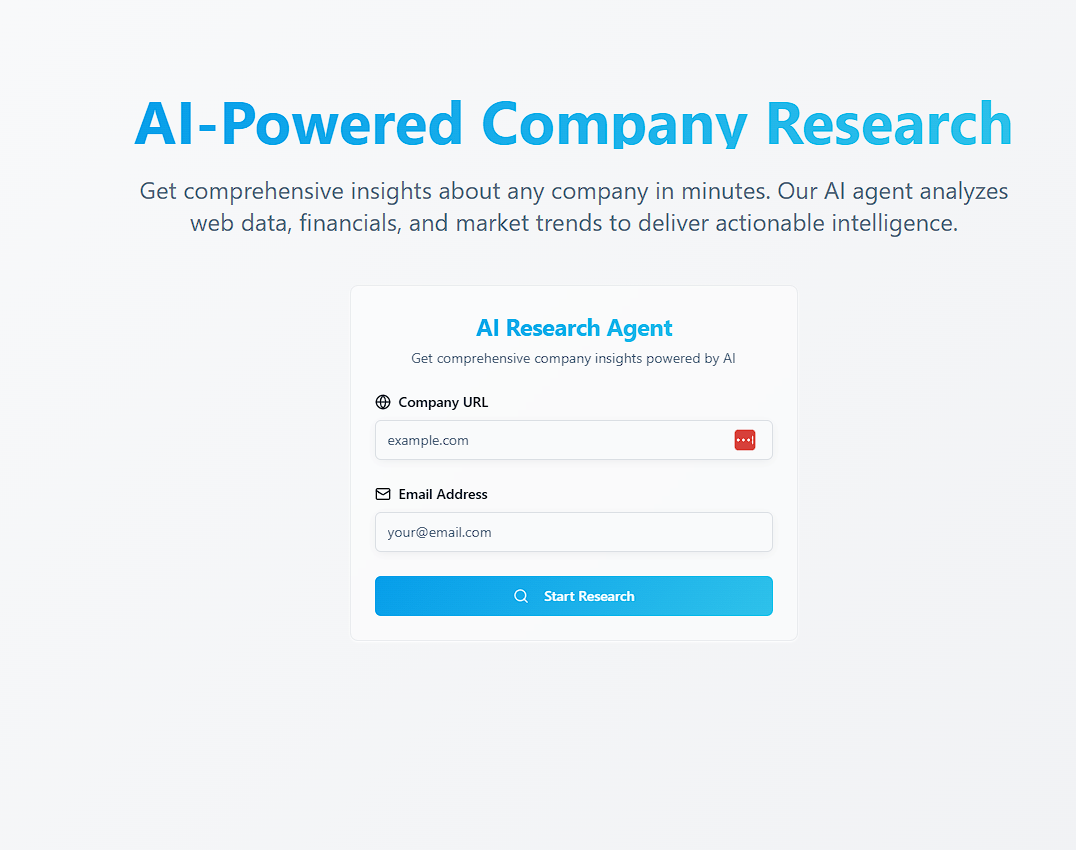
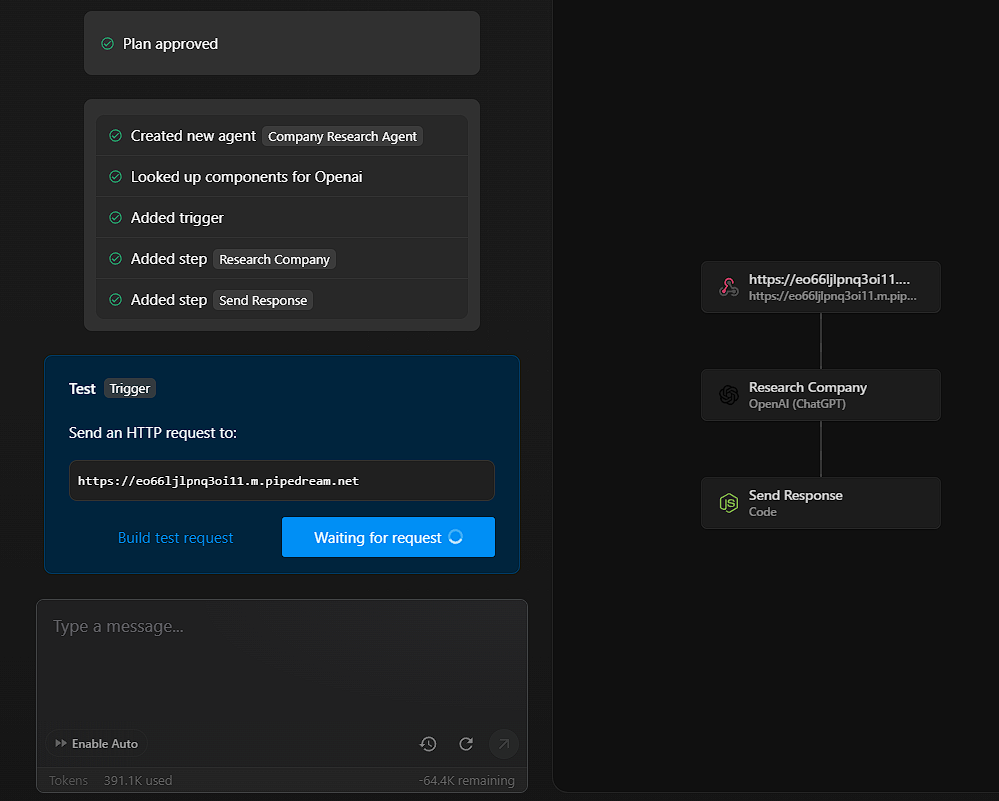
Review the output and make sure it returns the data you expect. If everything looks good, deploy the agent.
If you want to make changes, just tell String what you want to adjust then deploy when you are ready.</p><h3 id="6-test-end-to-end">6. Test End-to-End</h3><p>Return to your Lovable app and run another test submission. This time, the deployed agent should receive the request, perform the research, and return the results directly in the web app.</p><p>Once verified, you can publish the app on Lovable and share it with others.</p>
Discovery
Learnings
- auto_storiesStories
- categoryAreas
- helpFAQ
- forumConversations
- descriptionPapers
- mailNewsletters
- video_libraryVideos
- timelineTimeline
Guidance
- codeTechnology of APIs
- business_centerBusiness of APIs
- campaignEvangelism of APIs
- gavelGovernance of APIs
- historyHistory of APIs
- account_balancePolitics of APIs
Toolbox
- domainProviders
- apiAPIs
- cloudSolutions
- buildTools
- verifiedStandards
- gavelRegulations
- horizontal_ruleHeaders
- layersOverlays
- extensionExtensions
- schemaSchema
- policyPolicies
- ruleRules