
 <p>An error code 1020 means Cloudflare's Security Firewall blocked your request because something about it violated firewall rules set by the website's owner.</p><p>The right solution depends on whether you’re just trying to load a webpage or running a web scraping script.</p><p>This guide covers both scenarios.</p>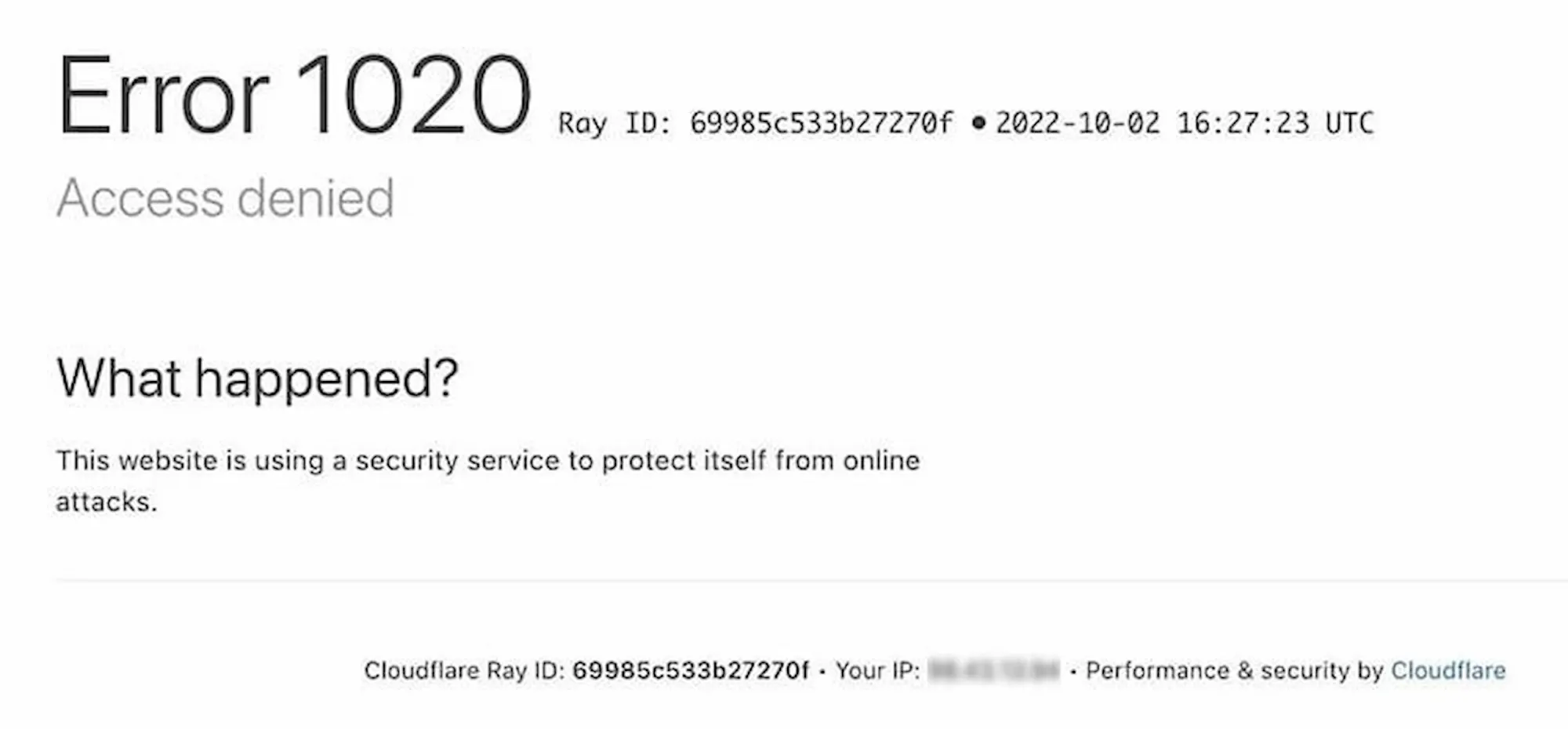
requests, Go's net/http, and Node's axios all produce TLS fingerprints that are easy to differentiate from real browsers. </p><p>Instead, use client libraries like curl_cffi (Python), got-scraping (Node.js), or utls (Go) that’ll help you better match browser-like handshake behavior.</p><p>Here's how a request looks using Python's curl_cffi with a Chrome TLS fingerprint:</p><pre>from curl_cffi import requests
response = requests.get(
"<https://example.com>",
impersonate="chrome",
)
print(response.status_code)
</code></pre><p>And the equivalent using got-scraping in Node.js:</p><pre>import { gotScraping } from 'got-scraping';
const response = await gotScraping({
url: '<https://example.com>',
headerGeneratorOptions: {
browsers: ['chrome'],
operatingSystems: ['windows'],
},
});
console.log(response.statusCode);
</code></pre><h3 id="2-replicate-the-full-http2-header-structure-of-a-real-browser">2. Replicate the full HTTP/2 header structure of a real browser</h3><p>Cloudflare also inspects HTTP/2 header frames, including pseudo headers like:method, :authority, :scheme, :path) and their ordering. If the structure matches a known HTTP library but the User Agent says Chrome, this mismatch can trigger a block.</p><p>Your headers must also be internally consistent. Chromium browsers send Sec-Ch-Ua, Sec-Ch-Ua-Mobile, and Sec-Ch-Ua-Platform. Firefox doesn't. Mixing Chromium Client Hints with a Firefox User Agent, or omitting headers the claimed browser would normally send, signals “automation”.</p><p>The safest approach is navigating to the Network tab in DevTools, copying the exact headers from a real browser request, and replicating them in your scraper exactly, including the order.</p><h3 id="3-route-traffic-through-residential-proxies">3. Route traffic through residential proxies</h3><p>Cloudflare assigns trust scores to IP addresses based on their origin. Traditional datacenter IPs from AWS or DigitalOcean get flagged instantly because real users don’t browse from server farms. Rotating datacenter IPs will only trigger more 1020 blocks.</p><p>Residential proxies, however, route traffic through real IP addresses that belong to actual households. These generally carry higher trust scores on Cloudflare’s network.</p><p>But Cloudflare keeps improving its detection defenses, targeting residential proxy networks by combining network-wide traffic data with client-side fingerprints collected from solved challenges across its network.</p><p>This means the quality of your proxies matters more than ever. Cheap, widely shared residential proxies are more likely to be detected, so invest in reputable proxy providers with large, diverse pools and low per IP usage density.</p><p>If you must use datacenter IPs, look for "ISP Proxies" (also called Static Residential). They are hosted in datacenters but use residential ASN tags to trick reputation systems</p><h3 id="4-use-stealth-modified-browser-automation">4. Use stealth-modified browser automation</h3><p>Browser automation is a valid bypass approach, but using Selenium, Playwright, or Puppeteer out of the box is one of the fastest ways to get detected. They leave signatures that Cloudflare can easily spot.</p><p>To use browser automation effectively, you need stealth tools like undetected chromedriver, Nodriver, or Camoufox to suppress WebDriver flags and mask your automation signatures.</p><p>Running in headed mode (with a visible browser window) also helps, because headless environments produce fingerprint differences that detection systems can identify.</p><h3 id="5-handle-cloudflare-turnstile-challenges">5. Handle Cloudflare Turnstile challenges</h3><p>Cloudflare replaced CAPTCHA challenges with Turnstile, a non-interactive challenge system that runs JavaScript in the background, analyzing browser environment, proof of work results, and interaction patterns.</p><p>Because Turnstile operates through JavaScript rather than visual puzzles, traditional CAPTCHA solving services won’t apply here.</p><p>To handle Turnstile, you can use a real browser environment to execute the challenge natively, or a third-party API like CapSolver to generate a token, provided your scraper also maintains a legitimate, consistent fingerprint to submit that token.</p><h3 id="6-maintain-cookies-and-session-state">6. Maintain cookies and session state</h3><p>Cloudflare uses cf_clearance to record that a visitor passed a challenge and __cf_bm as part of its bot management system. If your scraper discards cookies between requests, every single request is evaluated as a brand new visitor, forcing Cloudflare to verify you from scratch each time. This increases the chance of triggering a 1020.</p><p>Maintain a persistent cookie jar across all requests within a session. With rotating proxies, you need to bind each proxy IP to its own cookie jar so the cookies stay consistent with the IP address Cloudflare sees.</p><h3 id="7-validate-your-data-against-ai-labyrinth-honeypots">7. Validate your data against AI Labyrinth honeypots</h3><p>Bypassing a 1020 block doesn’t guarantee you’re extracting real data. Cloudflare’s recent AI Labyrinth feature embeds hidden links on pages leading to AI-generated decoy content.</p><p>These links are invisible to human visitors but are designed to lure automated crawlers deeper into a maze of irrelevant pages, wasting your scraper's time and resources on useless data.</p><p>To detect if your scraper has been redirected into an AI labyrinth, monitor for content that is topically unrelated to the site you are targeting, URL paths that were not present in the site's original navigation, and sudden increases in extraction volume without a corresponding increase in meaningful data.</p><p>Next, build circuit breakers directly into your pipeline that enforce session depth limits, use strict regex lists to filter unexpected URL structure, and a small AI model to check if the text you’re scraping actually matches your target topic.</p><h3 id="8-use-a-managed-scraping-platform">8. Use a managed scraping platform</h3><p>Handling TLS fingerprints, HTTP/2 headers, residential proxies, cookie persistence, Turnstile solving, and behavioral pacing simultaneously is a burden. Failing on even one layer can trigger a block from Cloudflare. Apify's residential proxies provide high-trust-score IPs, while its open-source library, Crawlee, automates session management, proxy rotation, and browser fingerprinting.</p><p>To bypass modern Cloudflare protections, Apify natively supports Camoufox through official templates, allowing Crawlee’s built-in handleCloudflareChallenge() helper to automatically solve Cloudflare's toughest security checks for you.</p><p>Apify Store also features pre-built Actors like Cloudflare Web Scraper that already handle Cloudflare-protected sites without requiring custom bypass code.</p><p>When evaluating any scraping platform, the minimum you should look for in 2026 is native TLS fingerprint management and Turnstile challenge support. Proxy rotation and header spoofing alone are no longer enough.</p><h2 id="conclusion">Conclusion</h2><p>Error code 1020 is ultimately Cloudflare telling you that something about your request doesn't look human. But, in 2026, what counts as "looking human" has gotten significantly harder. </p><p>The most reliable fix is either building a bypass pipeline that handles every detection layer simultaneously, or using services like Apify that already do; Apify Proxy routes your traffic through residential IPs with high trust scores on Cloudflare's network, while Crawlee handles browser fingerprint management, session persistence, and automatic Cloudflare challenge solving. </p><p>Explore both now to see how they fit into your workflow.</p>
